
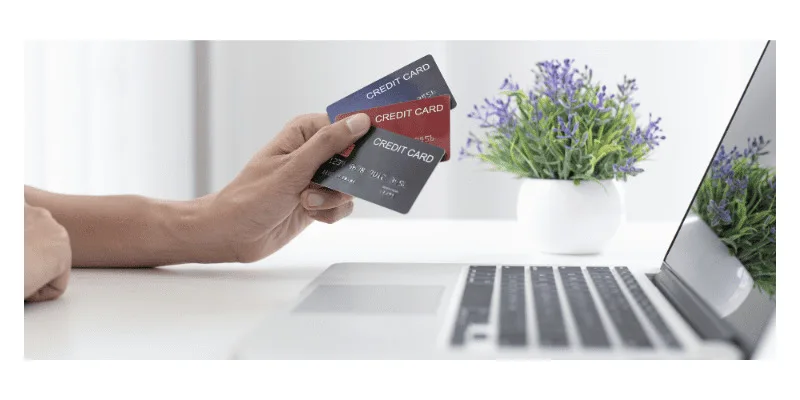
IMPORTANT SECURITY TIPS FOR SAFE ONLINE BANKING
· Access your bank website only by typing the URL in the address bar of your browser.
· Always verify the authenticity of the Bank's Net Banking webpage by checking its URL and the PADLOCK symbol at the bottom corner of the browser.
· Be aware of downloading any malicious application from mobile application stores (Google Playstore, Apple App Store, Blackberry App World, Ovi Store, Windows Marketplace etc) that are offering Online Banking. Kindly check their authenticity before downloading, by contacting your Bank.
· Do not click on any links in any e-mail message to access the site.
· Any bank or any of its representative never sends you email/SMS or calls you over phone to get your personal information, password or one time SMS (high security) password. Any such e-mail/SMS or phone call is an attempt to fraudulently withdraw money from your account through Internet Banking. Never respond to such email/SMS or phone call. Please report immediately to your bank if you receive any such e-mail/SMS. Please lock your user access immediately, if you have accidentally revealed your credentials.
· Do not be lured if you receive an e-mail/SMS/phone call promising reward for providing your personal information or for updating your account details in the bank site.
· Keep your Customer ID and password confidential and do not disclose it to anybody.
· Change your password as soon as you receive it by logging into your Net Banking account. Memorize your password, do not write it down anywhere.
· Avoid accessing internet banking from shared computer networks such as cyber cafes or public WiFi network like hotel/airport etc.
· Disable "Auto Complete" feature on your browser.
· Uncheck "User names and passwords on forms", click on "Clear Passwords"
· Click "OK"
· Use virtual keyboard feature while logging into your internet banking account.
· Do cross check your last login information available on Net Banking upon every login to ascertain your last login and monitor any unauthorized logins.
· Always type in your confidential account information. Do not copy paste it.
· Monitor your transactions regularly. Use Bank's Alerts service and bring any fraudulent transaction to the notice of the bank.
· Always logout when you exit Net Banking. Do not directly close the browser.
Having the following will improve your internet security:
· Newer version of Operating System with latest security patches.
· Latest version of Browsers (IE 7.0 and above, Mozilla Firefox 3.1 and above, Opera 9.5 and above, Safari 3.5 and above, Google Chrome, etc.)
· Firewall is enabled.
· Antivirus signatures applied
· Scan your computer regularly with Antivirus to ensure that the system is Virus/Trojan free.
· Change your Internet Banking password at periodical intervals.
· Always check the last log-in date and time in the post login page.
· After you have logged in, you will not be asked to provide your username and login password again. Also, you will not be asked to provide your CREDIT or DEBIT CARD details while using internet banking. If you get a message (such as through a pop-up) asking for such information, please do not provide this information no matter how 'genuine' the page appears to be. Such pop-ups are most likely the result of malwares infecting your computer. Please take immediate steps to disinfect your device.
STEP-BY-STEP GUIDE ON HOW TO USE YOUR DEBIT CARDS FOR PAYMENTS ONLINE:
· At the payment checkout, choose “Pay Using Debit/ Credit Card”. Select the option and specify the type of card, i.e., Debit Card and whether it is a Visa or Mastercard.
· Type the 16-digit Debit Card number which is on the front side of your Debit Card. You will also have to enter the expiration date of the card.
· When you’ve entered the Debit Card details, you may be asked for a CCD, CVV, or similar security code. In most cases, it is a three or four- digit code that helps prove that you are authorised to use the card. This code is mostly found on the back of the card.
· Once you are through the payment portal, you will be asked to enter a unique transaction code or an OTP (one-time password) that is sent to the mobile number linked to your Debit Cards. When you enter the number, your transaction is verified, and you receive a notification.
SECURE PHONE BANKING
While talking to the Phone Banking officer, never disclose the following
· 4 digit ATM/IVR PIN
· OTP
· Net Banking password
· CVV (Card Verification Value)
Ensure that no one sees you entering your PIN (personal identification number).
Avoid giving verification details to the Phone Banking officer while in public places.
The Phone Banking channel is meant to be used by the account holder only. Do not transfer the line or hand over the phone to any other person after you complete self-authentication.
10 ATM SAFELY TIPS
Never reveal your password (PIN) to anyone.
Never keep the PIN with ATM card or write on it. Always memorize it.
Always change your PIN regularly.
Never allow others to see your PIN during transactions on ATMs.
Never let strangers come into the ATM room or take their help to complete the transactions. Insist on swiping your card in your presence in hotels/shops/malls, etc.
Hide the keypad while keying in your PIN at ATM/POS terminals. Never swipe your card at POS machines kept at unknown temporary stalls.
Always press ‘cancel’ button after completing the transactions.
Never respond to any phone call/communication even if you consider it from your bank, seeking your Account Number, ATM Card Number, PIN or any other personal details.
Block and destroy your old card, when you get a new one. Please sign on the reverse of the card immediately on receipt.
Do not conduct any transaction if you find any unusual device connected to your ATM machine.
When you deposit a cheque or card into your ATM, check the credit entry in your account after a couple of days. If there is any discrepancy, report it to your bank.
Register your mobile number with the Bank to get alerts for your transactions
If your card gets stuck in the ATM, or if cash is not dispensed after you keying in a transaction, call your bank immediately
If you have any complaint about your ATM/Debit/Credit card transaction at an ATM, you must take it up with the bank
If you lose your card, please call your bank’s helpline number IMMEDIATELY
- Compiled by Anita Natu
SOURCES:
https://www.hdfcbank.com/personal/resources/learning-centre/pay/how-to-use-debit-cards
https://www.onlinesbi.sbi/personal/security_tips.html
https://mv.statebank/-/security-tips-for-safe-and-secure-atm-banking